
This use of the route optimization endpoint initializes a standard route optimization workflow and creates routes for workers (drivers). If workers have existing routes assigned to them, this will append the new routes after the existing routes. It requires information about the route optimization (RO) as request parameters and responds with issues. If successful, it provides a summary and an ID for the next step in the optimization process.
| Name | Type | Description |
|---|---|---|
| tasks | Array of Strings | Required. The list of tasks ID(s)s that are unassigned to consider for the Route Optimization. |
| teams | Object | Required. The Team IDs and their associated workers' ID for Route Optimization to consider. |
| date | Number | Required. Unix timestamp in millisecond precision. |
| timezone | String | Required. The timezone in which the optimization should consider. |
| mode | Number | Required. 0 for Minimize Distance Driven. 1 for Always on Time. 2 for Aggressive batch order pairs(use for linked Tasks). 3 for Balance Driving distance and Timely Arrival. If using ROv3, additional ROv3 fields costParams is available but mutually exclusive. Please see Route Optimization Cost Parameters for additional information |
| costParams | Object | Optional. See Route Optimization Cost Parameters. This is mutually exclusive with mode . |
| serviceTime | Number | Required. The time that should be spent by the workers at each Task location, in minutes. |
| maxViolationTime | Number | Required. Max allowed delay time, in minutes |
| maxTasksPerRoute | Number | Required. The maximum number of tasks a worker can be assigned. |
| schedulingMethod | Number | Required. Schedules that the RO should consider. 1 for use default schedule. 2 for worker schedules only. |
| defaultSchedule | Array of Numbers | Required. An array of default schedules if no specific worker schedule is available. |
| optimizationServiceArea | String | Optional. The ID of the optimization service area if applicable. |
| routeStart | String | Required, see below. Starting point of the route, can be a hub or a worker's Location. |
| routeEnd | String | Required, see below. Ending point of the route. |
| osaRouteZoneCount | Number | Optional. Only used if RouteZone is involved. |
| autoApplyAssignment | Boolean | Optional. The default value is false. When set to true, assignments will be automatically applied immediately after the Route Optimization engine processes them, without the need to call the subsequent Apply Optimization Results request URL. |
| clusteringLevel | String | Optional. Please see Route Optimization Clustering for additional information. |
Requires the v3 Route Optimization Engine (available in Scale and Enterprise plans only). Contact your customer success representative or [email protected] for more information.
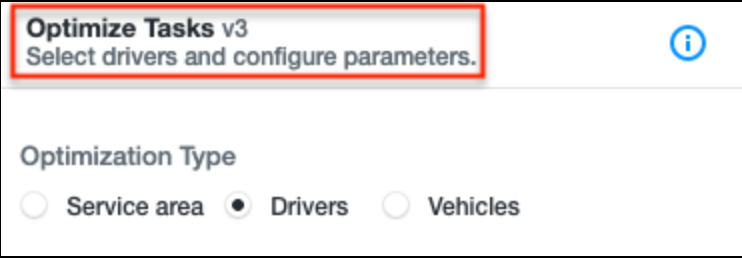
maxDistanceThe
maxDistancevalue is a top level value that overwrites theworker.vehiclelevel value. When provided, it will disregard vehicle level values.
{
  "maxTasksPerRoute": 30,
  "date": 1718728193838,
  "timezone": "America/Toronto",
  "mode": 1,
  "serviceTime": 15,
  "tasks": [
    "atnk3APxhJrgfx9mgWaRhByQ",
    "4kA7bOH*Kz7K0YA6~NpqWDke"
  ],
  "teams": {
    "5y1jHFp7OBfFU6SekbwwwRfL": [
      "GLlLB2123ABCkXOJAHPklMPZ",
      "~jCf16ZaT07pdtf~oFb~XAH9"
    ]
  },
	...
  "maxDistance": 50
}| Name | Type | Description |
|---|---|---|
| optimizationByVehicle.vehicleTypes | Object | Optional. This field tells the RO engine to use vehicle type as the basis for Route Optimizatio |
Only the following type are acceptable: walking, car, truck and bicycle. Each vehicle type has the following properties:
| Name | Type | Description |
|---|---|---|
| selected | boolean | Required. Must have this field to select the vehicle type to be considered. |
| count | number | Required. Must have this field to signify how many of this vehicle type is available. |
| maxTaskPerRoute | number | Optional. This field gives the upper bound for how many tasks of each vehicle can be assigned. |
| maxDistance | number | Optional. This field gives the upper bound for how much distance of each vehicle can be assigned. |
An example payload may look like this:
{
  "optimizationByVehicle": {
    "vehicleTypes": {
      "car": {
        "selected": true,
        "count": 2,
        "maxTasksPerRoute": 10,
        "maxDistance": 200
      },
      "bicycle": {
        "selected": true,
        "count": 3,
        "maxTasksPerRoute": 8,
        "maxDistance": 20
      }
    }
  },
  "maxTasksPerRoute": 30,
  "date": 1718728193838,
  "timezone": "America/Toronto",
  "mode": 1,
  "serviceTime": 15,
  "tasks": [
    "atnk3APxhJrgfx9mgWaRhByQ",
    "4kA7bOH*Kz7K0YA6~NpqWDke"
  ],
  "teams": {
    "5y1jHFp7OBfFU6SekbwwwRfL": [
      "GLlLB2123ABCkXOJAHPklMPZ",
      "~jCf16ZaT07pdtf~oFb~XAH9"
    ]
  },
  "schedulingMethod": 1,
  "routeStart": "teams://DEFAULT",
  "routeEnd": "teams://DEFAULT",
  "maxViolationTime": 0,
  "defaultSchedule": [
    {
      "date": 1718683200000,
      "slots": [
        {
          "start": "0000",
          "end": "2359"
        }
      ],
      "owner": "pOoPktB~Hry706w2JT30rJGi",
      "timezone": "America/Toronto"
    }
  ]
Additional configurable fields can be found in Additional Configurable Fields for ROv3
Route Start and Route EndThe request must have at least one
routeStartorrouteEndfields; they cannot both be omitted. These fields have very specific formats. The allowed values are:
- ”teams://DEFAULT” (this will be the team hub)
- ”workers://ROUTING_ADDRESS” (the workers routing address)
- ”hub://s and res" (specify a hub)
You also must have at least one of the two (routeStart or routeEnd) set. You can have both set, but having both empty will throw a validation error.
{
  "maxTasksPerRoute": 30,
  "date": 1718728193838,
  "timezone": "America/Toronto",
  "mode": 1,
  "serviceTime": 15,
  "tasks": [
    "atnk3APxhJrgfx9mgWaRhByQ",
    "4kA7bOH*Kz7K0YA6~NpqWDke"
  ],
  "teams": {
    "5y1jHFp7OBfFU6SekbwwwRfL": [
      "GLlLB2123ABCkXOJAHPklMPZ",
      "~jCf16ZaT07pdtf~oFb~XAH9"
    ]
  },
  "schedulingMethod": 1,
  "routeStart": "teams://DEFAULT",
  "routeEnd": "teams://DEFAULT",
  "maxViolationTime": 0,
  "defaultSchedule": [
    {
      "date": 1718683200000,
      "slots": [
        {
          "start": "0000",
          "end": "2359"
        }
      ],
      "owner": "pOoPktB~Hry706w2JT30rJGi",
      "timezone": "America/Toronto"
    }
  ]
}
Response fields:
- id (string). id for the optimization. This property is not included if issues includes an error.
- shortId (string). shortId for the optimization.
- issues (Array of issues). An issue includes.
- type (string). “warning“ or “error“. Warnings allow the optimization proceed. Errors prevent successful initialization of RO.
- message (string). User friendly message for the issue.
- shortId (string). shortId for the task causing the issue.
- reason (string). Identifier for the issue.
- summary. This property is not included if issues includes an error.
- workers:
- count (number). number of workers included in the optimization.
- tasks:
- count (number). number of tasks included in the optimization.
- routeZones:
- count (number). number of routeZones included in the optimization.
- workers:
{
  "id": "CQ6rFedL7VBL2VjURsGnb1cx",
  "issues": [
    {
      "type": "warning",
      "message": "Task 611552d3 does not have a time range (completeAfter/completeBefore) specified. Add time range for better optimization.",
      "entityType": "task",
      "entityId": "atnk3APxhJrgfx9mgWaRhByQ",
      "shortId": "611552d3",
      "reason": "no-time-range"
    },
    {
      "type": "warning",
      "message": "Task 08607990 does not have a time range (completeAfter/completeBefore) specified. Add time range for better optimization.",
      "entityType": "task",
      "entityId": "4kA7bOH*Kz7K0YA6~NpqWDke",
      "shortId": "08607990",
      "reason": "no-time-range"
    }
  ],
  "summary": {
    "workers": {
      "count": 2
    },
    "tasks": {
      "count": 2,
      "cost": 0.2
    },
    "routeZones": {
      "count": 0
    },
    "total": 0.2
  },
  "shortId": "682589c95927064e"
}
Use Start Route OptimizationThis endpoint is simply setting up the parameters and preview the results. The error handling should occur in this step prior to start Route Optimization using Start Route Optimization